Vaporwave Text Generator
Make vaporwave text in one click: wide fullwidth letters with that slow, neon, retro internet feel. Type a word, pick a style, copy it, and paste it into Discord, Instagram, Steam, or a playlist title. No sign-up, no font to install, and it runs fully in your browser.
Platform-safe presets: these pick a shorter, safer style for that place, so your name is less likely to be trimmed.
Quick tip: for a username, use plain Wide with no extras. For a single word in a post or a playlist title, go Aesthetic Stars, but check the platform checker below first.
Platform limit checker
Type above to check your vaporwave text against real bio and name limits.
Animated preview. It moves live in your browser, so you can see the vaporwave look before you copy.
Back to normal: turn vaporwave text back into plain text
Paste vaporwave or fullwidth text here and get the plain letters back. This turns wide letters into normal letters, it does not change your original words.
How to use
Make Vaporwave Text in 3 Steps
Type your text
Enter a short word, a username, or one bio line. Short text works best, because wide letters take up a lot of room.
Pick a style
Wide for names, Wide + Spaced for a relaxed look, Wide + Brackets for a title, or Aesthetic Stars for one dreamy word. Or use a platform preset to stay safe.
Check, copy and paste
Read the platform checker, press Copy, and paste into Discord, TikTok, Instagram, Steam, or your playlist title.
Turn it back if needed
Paste any vaporwave text into the converter at the top of this page to get plain text back in one click.
The full guide
What Is Vaporwave Text, and Why Does It Look So Wide
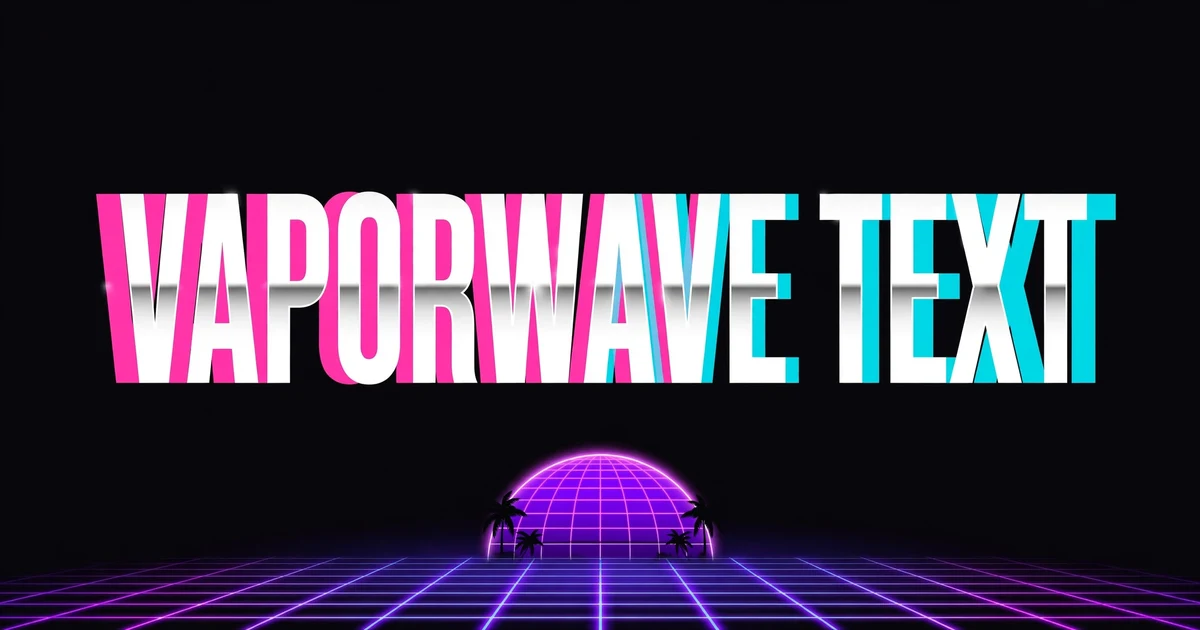
You have seen it in a Discord name, an Instagram bio, or a lo-fi playlist title: a word stretched out in slow, wide letters, like HELLO, glowing pink and blue against a purple sunset. That is vaporwave text. It is the written version of the vaporwave aesthetic, a retro internet style built on 1980s and 1990s imagery: chrome text, palm trees, Roman statues, old computer screens, and sunsets that never quite end. The style grew out of the vaporwave music scene of the early 2010s, and its look is now used far beyond music, for usernames, bios, and titles that want to feel dreamy and out of time. The background on the music and the visual style is on Wikipedia’s vaporwave page.
Vaporwave text is normal text written with fullwidth letters. It is not a font and it is not an image. It is real text you can copy, paste, and send, and your phone just draws each letter wider than usual. The trick uses the fullwidth forms of the Latin alphabet, a set of characters from East Asian typography. In Japanese and Chinese text, Latin letters are often printed in a wide form so they line up with the square shape of the other characters. Unicode keeps both forms: the normal letter A is U+0041, and the fullwidth letter A is U+FF21. They look like the same letter, but the fullwidth one takes up a whole square of space, so a whole word written in fullwidth letters looks stretched and slow. Underneath, your original word is still there, letter for letter, which is why the converter on this page can turn it back to normal in one click. The background on these characters is on Wikipedia’s halfwidth and fullwidth forms page.
That wide spacing is the whole feeling. Normal text is built to be read fast, letters packed tight so your eye can move along the line. Vaporwave text does the opposite. Every letter gets its own square of space, so the word slows down and floats. Add a gap between the letters, or a star at each end, and the word starts to look like a sign on a shopfront in a city that only exists at sunset. It is the same word, but it reads like a mood instead of a message, and that is exactly why people use it for names and titles rather than for sentences. Some people search for text vaporwave, or call this tool a vaporwave font generator, and searches for vaporwave generator text mean the same thing: a maker that turns normal words into wide, retro, fullwidth letters. Strictly speaking it is not a font at all, because no font is installed, but the name has stuck, and the result is the same either way.
The four styles on this page
- Wide: plain fullwidth letters, like HELLO. The cleanest style, and the safest for a username you will keep, because it adds no extra characters at all.
- Wide + Spaced: fullwidth letters with a wide gap after each one. The most relaxed and dreamy look, best for one word in a bio or a title, not for a long phrase, because the gaps make the line very long.
- Wide + Brackets: fullwidth letters wrapped in corner brackets, like. The brackets come from East Asian text, and they make a word look like a title card or a label.
- Aesthetic Stars: spaced fullwidth letters with a star at each end. The full vaporwave poster look, best for one word in a meme caption or a playlist title.
The three toggles let you mix these ideas yourself. Add brackets to any style for a title feel, add stars for a poster feel, or add extra spacing to any style for a slower, dreamier line. Try this: Wide with the spacing toggle on gives you the classic spaced look without any decoration at all, and it is the combination most people end up keeping for a bio.
Where vaporwave text works, and where it does not
Vaporwave text works best as decoration: a Discord display name for a chill server, one wide word in an Instagram bio, a Steam profile name, a lo-fi playlist title, or a single word in a post about music, art, or retro games. It works there because those places are about a feeling as much as a message, and the wide letters carry the feeling before anyone reads the word. It does not work as your only identity. Friends cannot search easily for a name written in fullwidth letters, because most search boxes treat the wide letters as different characters from the normal ones, and some apps will not match them at all. Keep your readable name as your main name, and use vaporwave text for a seasonal nickname, a bio line, or a single title. That way you get the retro look without losing the people who need to find you.
Length warning: a fullwidth letter still counts as one character on most platforms, so a short name usually fits fine. But the spaced style adds a wide space after every letter, and the brackets and stars add characters too, so a spaced name can run past the limit even when the word itself is short. Always check the platform checker on this page before you commit to a name, and remember that Discord display names have the tightest common limit at 32 characters.
Vaporwave text, glitch text, and Zalgo text: what is the difference
Vaporwave text is wide and calm, built from fullwidth letters with no marks piled on top. Glitch text is broken and noisy, with letters shifted, swapped, and struck through, and it has its own page here: the main Glitch Text Generator, which has 13 styles on one page. Zalgo text is horror text, with spikes and roots growing out of every letter, and it has its own page too: the Zalgo Text Generator. Cursed text pushes Zalgo to the extreme, and it lives on the Cursed Text Generator page. If you want all the styles together, start on the main glitch page. This page stays focused on vaporwave text only, so it can go deeper on fullwidth letters, the aesthetic, and where the style fits.
How to make vaporwave text
There is nothing to install and nothing to learn. Type your text into the generator above, pick a style, and press Copy. The generator swaps every letter for its fullwidth form, adds the spacing or decoration you picked, and gives you text you can paste anywhere that supports Unicode, which is almost everywhere: Discord, TikTok, Instagram, X, Steam, and most game chats. If a platform shows the text as plain normal letters, that platform has stripped the fullwidth forms, and the words will still read fine, just without the wide look. If you ever need the plain words back, paste the vaporwave text into the converter at the top of this page and it turns the wide letters back into normal ones.
Compatibility
Platform Guide: Where Vaporwave Text Fits
Paste first and hope later is how names get cut off. Check the limit before you commit to a name, because every space, bracket, and star counts toward the limit.
| Platform | Limit to check | What to watch out for | Recommended style |
|---|---|---|---|
| Instagram bio | 150 characters | Wide text fills a bio fast, so one vaporwave line is enough | Wide + Spaced, one line only |
| TikTok bio | 80 characters | Very short limit, so a spaced phrase can overflow quickly | Wide, short phrases |
| X display name | 50 characters | Wide letters take a lot of horizontal room in the feed | Wide to Wide + Brackets |
| Discord display name | 32 characters | The tightest common limit, so keep names short and plain | Wide, short names |
How to turn vaporwave text back to normal
Paste the vaporwave text into the converter at the top of this page. It swaps every fullwidth letter back to its normal form and turns the wide spaces back into normal spaces, leaving plain text. If you made the text here, your clean original is also still in the input box at the top, because the generator never changes your original text.
A quick word on accessibility
Vaporwave text is a visual effect, and that is all it is. Screen readers may read fullwidth letters one by one, or spell them out, and people using search will not find a fullwidth name by typing the normal letters. Never put essential information, like a link, a price, a warning, or contact details, in vaporwave form only. Make the decoration wide, keep the message clean.
FAQ
Vaporwave Text Questions, Answered
What is vaporwave text?
Vaporwave text is normal text written with fullwidth letters, so each letter takes up a whole square of space and the word looks wide, slow, and retro. It is the written version of the vaporwave aesthetic, built on 1980s and 1990s imagery.
How do I make vaporwave text?
Type your text into the generator above, pick a style, check the platform checker, then press Copy. Paste it anywhere that supports Unicode, like Discord, TikTok, Instagram, X, and Steam.
How to make vaporwave text on a phone?
The same way as on a computer. Open this page on your phone, type your text, pick a style, and press Copy. The text is real Unicode, so it pastes into any app that accepts text, including Discord and Instagram.
Does vaporwave text work on Discord?
Yes, and Discord is one of the best places for it. Keep it plain Wide for a display name, because Discord display names have a 32 character limit and the spaced style adds a space after every letter.
Why does vaporwave text look wide?
Because it uses fullwidth letters from East Asian typography. Each fullwidth letter is a whole square wide, unlike a normal letter, so a whole word written in fullwidth letters looks stretched out.
Can I use vaporwave text on Instagram?
Yes. It works in an Instagram bio and in captions. Use one vaporwave line in a bio, because wide text fills the 150 character bio fast, and keep the rest of the bio in normal text so people can search for you.
How do I turn vaporwave text back to normal text?
Use the converter on this page. Paste the vaporwave text in, press Convert to normal text, and every fullwidth letter turns back into a normal letter. If you made the text here, your clean original is still in the input box too.
Is this vaporwave text generator free?
Yes. Completely free, no sign-up, and it runs entirely in your browser. Your text is never sent to a server.